08/11/16 – Sound Design
Before the start of the lab today, we had to record eight different samples of noises from around Tower C, such as the lift, shoes on the stairs, keyboard clicks, and doors closing. We then transferred them to the computers ready for the lab. Initially, we listened to a sound recording of a continuous tone as it increased in frequency from 20Hz to 20,000Hz – what is commonly referred to as the range of human hearing. It was interesting to see the different points at which people could no longer hear the tone.
First, we briefly looked at different types of microphone. There are several types, each ideally suited to different usages in different environments. For example, a unidirectional microphone would be ideal for interviewing an individual person – it only records the sound from a certain direction, cutting out background chatter or interference from other noises. However, a omnidirectional microphone would be best for group interviews or covering a sporting event where the whole experience needed to be recorded.
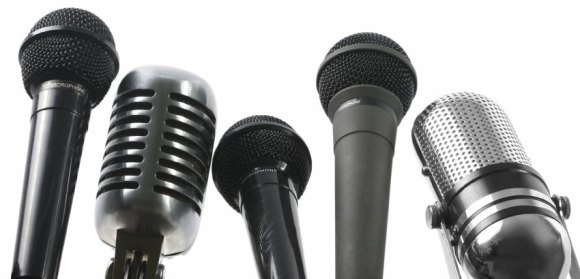
Some microphones have different power requirements. Most modern equipment can run on what is known as ‘phantom power’ – meaning it doesn’t need to be plugged into an external electrical socket. It can draw power from the equipment that it is plugged into, for example a video camera or computer. However, older equipment and some powerful microphones do require a separate power source.
We discussed best practice for recording sound. Things to consider include the file format to record in – MP3 is heavily compressed, whereas WAV is a higher quality. It is also important to ensure that he correct gain level is set, and to ensure that an even sound level is recorded. For example, if the recording will feature both talking and shouting, the gain should be turned down during the shouting sections.
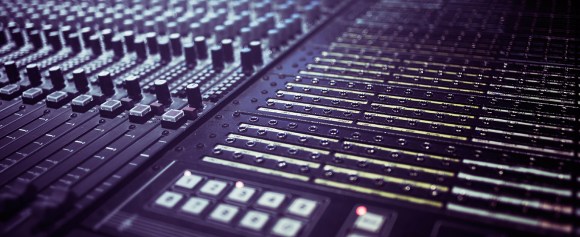
After the theory section, we started work using Logic Pro X, a professional piece of sound recording and editing software. We imported our sound recordings that we recorded at the beginning of the lab, and began arranging them on the timeline. We also experimented with using the in-built Apple Loops, as well as changing the volume and pan on different channels. Despite sounding quite strange as it includes recordings of a lift and doors slamming, I am quite pleased with the final outcome!
References and Further Reading:
- http://www.desktop-documentaries.com/images/different-types-of-microphones.jpg
- http://www.trebas.com/web/trebas1/images/hero_program-sound-design.jpg
- http://creativeskillset.org/job_roles/3079_sound_designer
 tobysanderson.co.uk