Categories
3D Modelling Photoshop

CGI Gramophone

Render2_shadow

Our 3D composite image task required us to design, create, texture and light a three-dimensional object and then insert it into a background image. I chose to create a gramophone as they are unusual objects with a fairly complex design.

I used computer-modelling software Maya to make a basic skeleton for the gramophone using a range of tools and processes. Then, using textures I found on the web, I applied the wood and brass effect to the different parts. After inserting the background image and positioning the gramophone correctly, I worked on correctly lighting the scene based on the light sources already in the image, such as desk lights and open windows.

The final two compositions required me to insert a shadow using Photoshop to make the images more lifelike, however in the future I’d like to experiment and play around with more features in Maya, so that the shadow could be created on the surfaces automatically.

Render1_shadow

Categories
Photoshop

Stargazer

stargazer

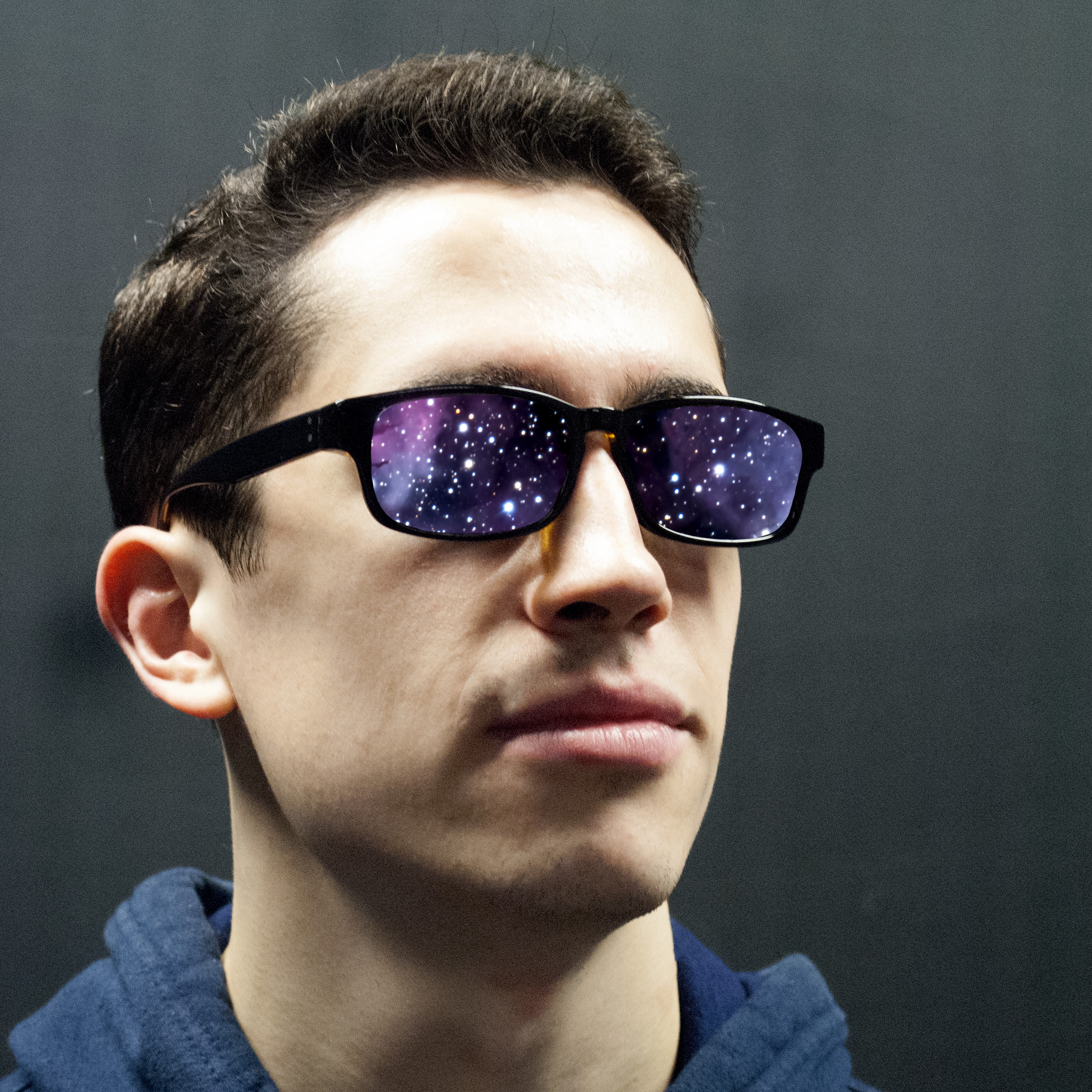
Featuring Seb from the studio portrait section, this image is a bit of fun with layers and masks. A public-domain image from NASA of a nebula is placed behind a close-angle shot of Seb’s head. I then removed the lenses on Photoshop to allow the space photo to show through.

Categories
Photoshop

Hands Of Time

HandsOfTime

This composite image was created in Adobe Photoshop, based on an image of a large clock. Seperately, I took a photo of a friend’s pointing hand, and using the image-editing software, replaced the hands of the clock with the actual human hands, giving a literal representation the the phrase ‘the hands of time’.

Categories
Photoshop

Chocolate

LindtThis photo was taken on the recent photography trip to Portsmouth, UK, however I am using it for the task requiring a photo edited using masks, blends and channel manipulation. Using a background layer, I enhanced the red of the wrappers using the RGB layers tool, before creating a duplicate grayscale layer. Then, using the mask feature, I removed portions of the layer to allow the colours to show through.